

Revo Uninstaller Pro 5.5:彻底卸载不留残留
Revo Uninstaller Pro 5.5多语言版,强力卸载顽固软件,深度扫描清除注册表与文件残留,解决常规卸载失败问题,优化系统性能。16.5 MB轻量高效。
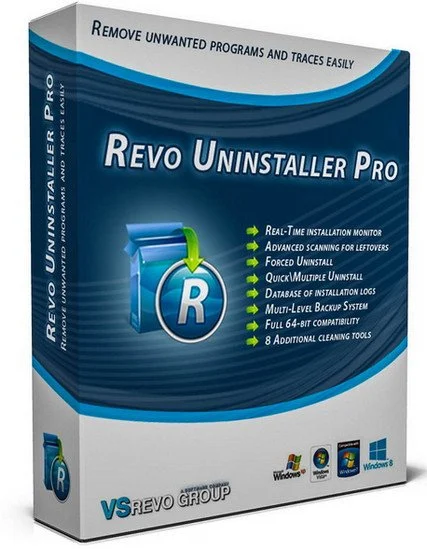
当软件自身的卸载程序出现问题或者在Windows 自身的“卸载或更改程序”中无法找到程序卸载选项,Revo Uninstaller便可以帮助您卸载或移除系统中不需要的程序。Revo Uninstaller还会凭借其先进和快速的算法,彻底分析和扫描程序在系统和注册表中的所有文件和键值,将程序彻底完全的移除,不会在系统中留下软件的任何残留!
File size: 16.5 MB
Revo Uninstaller Pro is innovative uninstaller program which helps you to uninstall unnecessary software and remove easily unwanted programs installed on your personal computer. Revo Uninstaller gives you the convenience to optimize your device, as well as to get rid of all the program files you do not need and slow down your computer processes. You might be surprised to learn that the “Add/Remove Programs” option in the Windows Control Panel does not always completely remove all software data from your system. Traces like registry items or program files and folders may still remain. Now with Revo Uninstaller you can be sure that you can clean your system from all these remnants and provide more comfort and optimization to your device.
Also, most programs come with their own uninstallers, but in most cases, these don’t do complete and thorough job, leaving behind temporary files, leftovers, unused registry entries, and other unnecessary program files. These remnants take up space and slow down your Windows PC, and can cause conflicts if you want to install a newer version of the same software in the future. That’s where Revo Uninstaller Pro comes in.
The secure and powerful uninstall of a program, sometimes becomes a difficult process. Windows inbuilt Add/Remove Program tool isn’t always the perfect solution. As we mentioned earlier it is slower and usually doesn’t remove all the traces of the application in your PC (like registry entries, files, folders of the program).
Revo Uninstaller is a great replacement for Add/Remove programs in Windows and offers lots of functions to remove guaranteed any program, faster and completely from your computer. It can effectively remove unnecessary files, folders and registry keys and values related to the program.
Revo Uninstaller also includes a number of cleanup tools such as Junk Files Cleaner, Browsers Cleaner, MS Office Cleaner, Windows Cleaner and Autorun Manager which can be used to take control of the programs that start automatically with Windows.
此处内容需要权限查看
会员免费查看1、VIP会员仅需30元全站资源免费下载!
2、资源默认为百度网盘链接,请用浏览器打开输入提取码不要有多余空格,如无法获取 请联系微信 yunqiaonet 补发。
3、分卷压缩包资源 需全部下载后解压第一个压缩包即可,下载过程不要强制中断 建议用winrar解压或360解压缩软件解压!
4、云桥CG资源站所发布资源仅供用户自学自用,用户需以学习为目的,按需下载,严禁批量采集搬运共享资源等行为,望知悉!!!
5、云桥CG资源站,感谢您的赞赏与支持!平台所收取打赏费用仅作为平台服务器租赁及人员维护资金 费用不为素材本身费用,望理解知悉!平台资源仅供用户学习观摩使用 请下载24小时内自行删除 如需商用请支持原版作者!请知悉并遵守!
6、For international users: If you do not have a Baidu Netdisk VIP account, please contact WeChat: yunqiaonet for assistance with logging into Baidu Netdisk to download resources..











