Comfy File Recovery 7.4 多语言版是一款高效的数据恢复工具,支持恢复硬盘、U盘和记忆卡因误删、格式化或损坏丢失的文件,包括文档、照片和视频,界面友好,操作简便。
原始标题:Comfy File Recovery 7.4 Multilingual
Comfy Partition Recovery 用于恢复硬盘驱动器, 记忆卡和USB设备由于各种原因引起损坏或数据删除后丢失的数据的. 该方案不需要通过Windows资源管理器访问被损坏的磁盘. 该工具可以快速恢复丢失的数据或硬盘上删除的逻辑分区,闪存卡和记忆卡完整格式化后的数据.软件将恢复文件系统错误和引导扇区损坏后您的磁盘结构.
Comfy File Recovery recovers能恢复任何意外删除的文件:文档,数码照片,压缩档案,音乐和视频.程序允许您恢复硬盘格式化的逻辑卷,可移动设备,USB闪存卡和记忆卡丢失的数据,支持NTFS或FAT文件系统,用户界面友好,可让您在短短数分钟内找到并恢复删除的文件.
通过深入分析功能,搜索删除的分区,让文件在几秒内恢复,该程序不仅对家庭用户有用,在数据恢复领域对专业人士也相当有益,信息恢复的结果将给您带来很多的快乐
File size: 41 MB
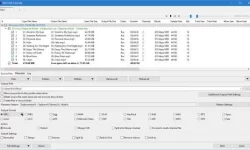
Recover deleted files using Comfy File Recovery. The program recovers accidentally deleted files, information lost after formatting logical volumes on hard drives, USB flash drives, and memory cards. The program’s “Partition search” function lets you find and continue recovering files from a deleted logical partition. A user-friendly interface resembling Windows Explorer displays files in the folders they were in prior to deletion, and the program’s “File recovery wizard” make the program accessible for any user. A built-in wizard not only allows users to quickly find and recover files, but also to save data to any folder, record it to CD or DVD, create a virtual ISO copy, or save files to a remote server using an FTP protocol.
File recovery with Comfy File Recovery is absolutely risk-free. When scanning the information carrier, the program works only to read the information carrier, without re-saving the deleting information. The function of creating a virtual copy of the carrier and the ability to recover data from it later significantly increases the percentage of the information volume that you can recover from a hit or corrupted drive.
此处内容需要权限查看
会员免费查看1、VIP会员仅需30元全站资源免费下载!
2、资源默认为百度网盘链接,请用浏览器打开输入提取码不要有多余空格,如无法获取 请联系微信 yunqiaonet 补发。
3、分卷压缩包资源 需全部下载后解压第一个压缩包即可,下载过程不要强制中断 建议用winrar解压或360解压缩软件解压!
4、云桥CG资源站所发布资源仅供用户自学自用,用户需以学习为目的,按需下载,严禁批量采集搬运共享资源等行为,望知悉!!!
5、云桥CG资源站,感谢您的赞赏与支持!平台所收取打赏费用仅作为平台服务器租赁及人员维护资金 费用不为素材本身费用,望理解知悉!平台资源仅供用户学习观摩使用 请下载24小时内自行删除 如需商用请支持原版作者!请知悉并遵守!
6、For international users: If you do not have a Baidu Netdisk VIP account, please contact WeChat: yunqiaonet for assistance with logging into Baidu Netdisk to download resources..