

Coolmuster Android Backup Manager是一款专业的安卓数据备份恢复软件,支持一键备份联系人、短信、通话记录、媒体文件等,轻松实现Android数据备份与还原。
原始标题:Coolmuster Android Backup Manager 3.5.37 Multilingual 安卓数据备份
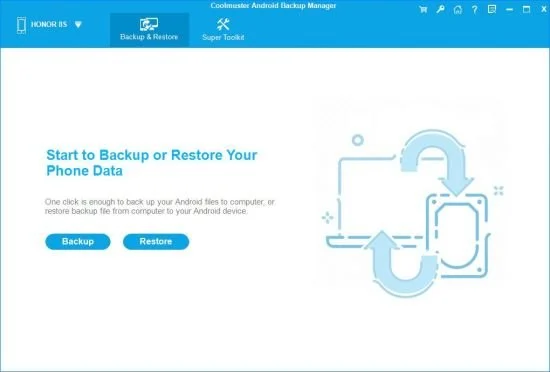
一款用于安卓设备的数据备份恢复软件,可以让你一键备份还原Android数据,如联系人、短信、通话记录、媒体文件等,可助您轻松实现Android备份和还原的所有需求。
File size: 21.7 MB
Worried about losing important files on your Android phone due to unexpected malfunction or other problems? It’s better to back up your Android phone data before it really gets lost, such as contacts, SMS, photos, documents, etc. Also, if you need to restore Android phone backup to a new Android phone, Coolmuster Android Backup Manager, the topnotch Android backup software, can empower you to realize all your demands on Android backup and restore without any hassles.
Back Up Android Phone in 1 Click
Wondering how to backup everything on Android phone effortlessly? This Android backup software allows you to backup Android phone to PC in one click and endows you with the full right to backup Android phone data with ease.
User-friendly Backup Process: With no special technical skills required, you can freely choose to back up either all or any target data types on Android device without quality loss, customize the storage location of backup files, and also track the backup progress.
Multiple File Types Supported: Various file types are supported for Android backup management, such as contacts, messages, call logs, photos, music, videos, documents and user apps.
Restore Android from Backup in 1 Click
Want to make an Android backup and restore to a new phone? Whenever you need to switch to a new Android phone or share data with the other Android device, this Android data backup & restore app is always at your services, helping with Android restore from backup with one click.
Customized Restore Process: It can quickly scan out and list all the backup files you’ve made on your computer, you can freely choose to restore any listed backup file and any target file types into any connected Android device.
Other Restore Utilities: Can’t find the backup file you want from the list? No worries, you can freely add new backup folders from computer for restoration. Also, the exiting data on your Android phone won’t be deleted unless you’ve chosen to clear data before restoring as it supports.
2 Device Connection Methods: USB and Wi-Fi
Coolmuster Android Backup Manager provides two ways to connect Android device to this software for successful Android data backup and restore: USB connection and Wi-Fi connection. You can freely choose either way you want.
Connect via USB Cable: Usually, you can connect your Android device to computer with a USB cable for a more stable connection, which is easy and also ensure fast Android data backup and restore.
Connect via Wi-Fi: With no USB cable around? Don’t worry, you can also connect the Android phone to computer with stable Wi-Fi by scanning the QR code of this program, and wirelessly backup and restore Android data.
High Compatibility, Fast Transfer, Read Only, etc.
After rigorous testing, Coolmuster Android Backup Manager works well with almost all Android devices, and also stands out with various attractive features.
Supported Android Devices: Almost all Android phones and tablets in different phone brands and models are supported, such as Samsung, Huawei, Xiaomi, HTC, LG, Sony, Motorola, Google Nexus, ZTE, Dell, and so forth.
Highlighted Features: It’s easy and fast to backup and restore Android data, READ-ONLY for Android data without damaging or leaking out users’ personal data, able to manage multiple Android devices simultaneously, green, ad-free and light in size.
此处内容需要权限查看
会员免费查看1、VIP会员仅需30元全站资源免费下载!
2、资源默认为百度网盘链接,请用浏览器打开输入提取码不要有多余空格,如无法获取 请联系微信 yunqiaonet 补发。
3、分卷压缩包资源 需全部下载后解压第一个压缩包即可,下载过程不要强制中断 建议用winrar解压或360解压缩软件解压!
4、云桥CG资源站所发布资源仅供用户自学自用,用户需以学习为目的,按需下载,严禁批量采集搬运共享资源等行为,望知悉!!!
5、云桥CG资源站,感谢您的赞赏与支持!平台所收取打赏费用仅作为平台服务器租赁及人员维护资金 费用不为素材本身费用,望理解知悉!平台资源仅供用户学习观摩使用 请下载24小时内自行删除 如需商用请支持原版作者!请知悉并遵守!
6、For international users: If you do not have a Baidu Netdisk VIP account, please contact WeChat: yunqiaonet for assistance with logging into Baidu Netdisk to download resources..











