Comfort Clipboard Pro 9 是一款强大的Windows剪贴板管理工具,支持无限保存文本、图像、文件等历史记录,一次买断永久使用,告别复制丢失,提升工作效率。
原始标题:Comfort Clipboard Pro 9.6.2.0 Multilingual
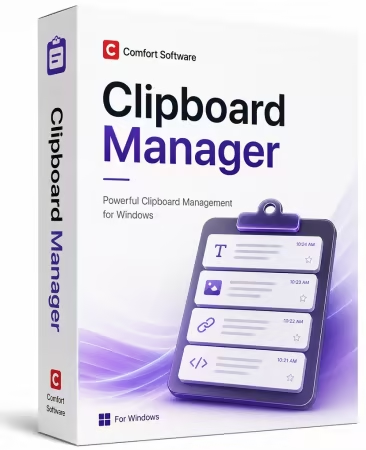
Comfort Clipboard Pro 9 是一款功能强大的 Windows 剪贴板管理工具。它能自动保存您复制的所有文本、图像和文件,支持无限存储历史记录,并采用一次性买断制(永久授权,无订阅费)。
File Size: 5.3 MB
Smarter clipboard. Faster workflow.
Never lose a copied item again. Clipboard Manager automatically saves your clipboard history, allowing you to instantly access copied text, images, files, and links. Stay organized, boost productivity, and work more efficiently with an intelligent clipboard solution for Windows.
History
This clipboard manager keeps the clipboard history that you can use to paste any saved fragment again.
Reliability
Now you don’t have to worry that copying one thing will erase something else! The clipboard contents will be saved, even in the case of a system crash or power failure.
Any Format
The manager supports all clipboard formats, including text, links, images, files, and all others.
Clipboard History
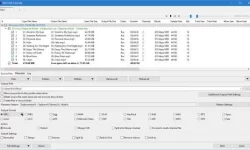
The following information is displayed for each saved fragment
Brief fragment contents: a text or an image.
The icon of the fragment’s format as defined in your system.
The icon of the application from which the fragment was copied to the clipboard.
Additional brief information for each fragment according to its format.
The list of all formats in which the fragment can be used.
Preview area.
Editing, Colors, and Hotkeys
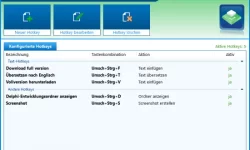
You can edit any text fragment, set a hotkey for quick paste of the fragment, and set the fragment’s color in the list.
For added security, you can assign a display name for any fragment that hides its contents.
Drag and drop
You can drag any fragment from the clipboard manager to the input field.
No limits
Unlimited number of fragments stored in the clipboard history (by default, 500 fragments are saved).
Formats
All data are copied to the clipboard in several formats at once, so you can select the format you want to use.
Paste several fragments at once
You can select several fragments in the clipboard manager and paste them with one click.
Favorites
An ability to customize favorite clipboard fragments.
Toolbar
The program toolbar in the Windows taskbar.
Filtering
Ability to filter fragments in the clipboard manager.
Exceptions
Ability to specify applications in which the clipboard monitor will be disabled.
Sounds
Ability to assign sounds to program events.
System Requirements
Microsoft® Windows® 11 / 10 / 8.1 / 8 / 7 / Vista® / XP
Microsoft Windows Server® 2025 / 2022 / 2019 / 2016 / 2012 / 2008
此处内容需要权限查看
会员免费查看1、VIP会员仅需30元全站资源免费下载!
2、资源默认为百度网盘链接,请用浏览器打开输入提取码不要有多余空格,如无法获取 请联系微信 yunqiaonet 补发。
3、分卷压缩包资源 需全部下载后解压第一个压缩包即可,下载过程不要强制中断 建议用winrar解压或360解压缩软件解压!
4、云桥CG资源站所发布资源仅供用户自学自用,用户需以学习为目的,按需下载,严禁批量采集搬运共享资源等行为,望知悉!!!
5、云桥CG资源站,感谢您的赞赏与支持!平台所收取打赏费用仅作为平台服务器租赁及人员维护资金 费用不为素材本身费用,望理解知悉!平台资源仅供用户学习观摩使用 请下载24小时内自行删除 如需商用请支持原版作者!请知悉并遵守!
6、For international users: If you do not have a Baidu Netdisk VIP account, please contact WeChat: yunqiaonet for assistance with logging into Baidu Netdisk to download resources..