Light Image Resizer 是一款简单易用的图片批量处理软件,支持快速调整大小、压缩与格式转换,内置Lanczos滤镜确保高质量输出,并集成于Windows资源管理器右键菜单,方便快捷。
原始标题:Light Image Resizer 7.6.4.173 Multilingual
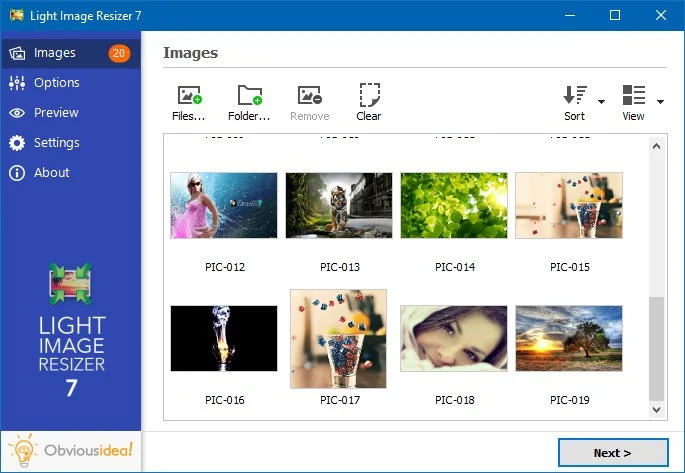
Light Image Resizer 是一款简单好用易上手的图片批量处理软件,Light Image Resizer 能够快速地调整图片的大小,且内置了图片压缩、图片批量转换等功能,其中Lanczos滤镜能让你在调整好图片大小、压缩比率后迅速得到高质量清晰图片。
Light Image Resizer 不仅提供了常用显示器分辨率,还可以自动检测当前显示器的分辨率,可以帮您快速制作数张适合你屏幕的桌面壁纸。而且你可以通过合适大小、延展、中央、裁剪、重设(智能调整)等方式选择图片在壁纸中的位置。
File size: 54.64 MB
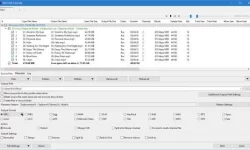
Light Image Resizer from Obvious Idea (previously known as VSO Image Resizer) is a free tool that organizes your photos by shrinking their resolution or moving them within your hard drive. It is the perfect tool for those who store their digital pictures and images on their PC and who want to resize, compress, convert, create copies, import or organize photos. Light Image Resizer is integrated into the Windows explorer shell, right click on your pictures and start working on your pictures!
It is the perfect tool for those who store their digital pictures and images on their PC and who want to resize, compress, convert, create copies, import or organize photos.
Light Image Resizer is integrated into the Windows explorer shell, right click on your pictures and start working on your pictures!
Using this free resize image software, you can create e-mail friendly versions of your images, load them faster, move them easily from folder to folder, change their format, edit large numbers of image files/batch image resize and thus save space on your hard drive.
Add your own watermark to protect your work or add a copyright to photos with html-like text formatting and transparency support. Customize pictures by converting them to sepia or add a border. Use the live preview to see what the final result will look like before actually processing the image…………
System Requirements
Your system should meet the following minimum requirements
• Windows 11 / 10 / 8 (64 or 32 bit)
• 2.0 GHz processor
• 2 GB of RAM
• 50 MB of free hard drive space
官方网站:https://www.obviousidea.com/
此处内容需要权限查看
会员免费查看1、VIP会员仅需30元全站资源免费下载!
2、资源默认为百度网盘链接,请用浏览器打开输入提取码不要有多余空格,如无法获取 请联系微信 yunqiaonet 补发。
3、分卷压缩包资源 需全部下载后解压第一个压缩包即可,下载过程不要强制中断 建议用winrar解压或360解压缩软件解压!
4、云桥CG资源站所发布资源仅供用户自学自用,用户需以学习为目的,按需下载,严禁批量采集搬运共享资源等行为,望知悉!!!
5、云桥CG资源站,感谢您的赞赏与支持!平台所收取打赏费用仅作为平台服务器租赁及人员维护资金 费用不为素材本身费用,望理解知悉!平台资源仅供用户学习观摩使用 请下载24小时内自行删除 如需商用请支持原版作者!请知悉并遵守!
6、For international users: If you do not have a Baidu Netdisk VIP account, please contact WeChat: yunqiaonet for assistance with logging into Baidu Netdisk to download resources..