

MobiKin Assistant for Android 5.4.34是一款安卓手机管理工具,通过USB连接电脑即可传输、整理手机短信、联系人、图片、视频和应用,支持一键备份与恢复数据,并可直装App,轻松实现高效文件管理。
原始标题:MobiKin Assistant for Android 5.4.34 Multilingual
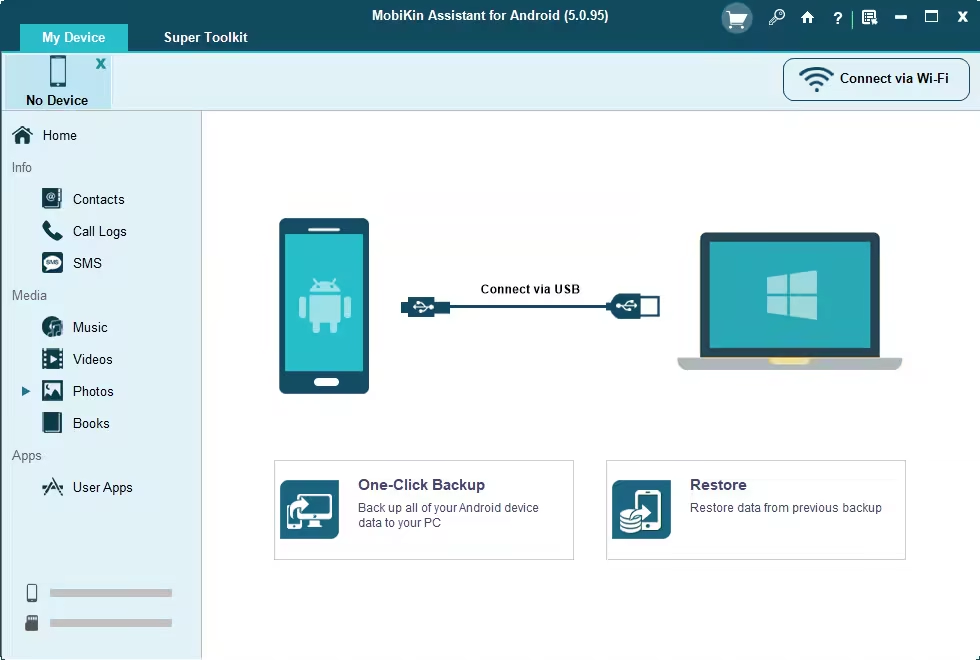
MobiKin Assistant for Android是一个可以让你的安卓手机和电脑之间进行高效文件传输的工具,通过usb线将手机和电脑连接后就可以在这读取手机中的短信、联系人、图片、视频和应用。 让你在电脑上就可以对手机中的文件进行整理。 同时还可以直接安装app到手机中,并且支持数据备份和恢复。
File size: 24.07 MB
Looking for a simple way to manage your Android device? Then this MobiKin Assistant for Android could be the ideal solution for you. Just get it to learn its powerful management ability now.
Back Up & Restore Android Data Easily
Many Android users complain that they always mistakenly delete something important when they’re using some unfamiliar functions on their Android device. So are you tired of randomly losing stuff from your phone? Now, let’s end the fate of losing data on Android with the help of the software called MobiKin Assistant for Android. With it, you can connect multiple Android devices to PC and back up all data from these devices to your desktop computer with one simple click.
Manage Your Contacts & SMS Freely
It is no doubt that contacts and text messages can be regarded as the most important data on your Android phones. Losing them always means “Disaster” for their owners. Thus, you have to back up or manage these data systematically in the daily life. To save your time, you can turn to a professional software like MobiKin Assistant for Android.
Organize Your Apps without Limitation
No one can deny that our life become more colorful due to various applications on the smart phone. So you may need to install or uninstall all kinds of Apps on your device for better enjoyment. But have you ever wondered of finding a tool to help you effectively manage these Apps on Android device? If so, then this program can meet your demands.
Other Highlights of Assistant for Android
Besides the features we have listed in the above pages, there are also many other prominent characteristics of this program that you may be also interested in.
As the best Android manager program on the market, this program has the ability to be compatible with almost all popular brands of Android device, including Samsung, HTC, Motorola, Sony, LG, Huawei, etc.
Under the option of “Music”, you can add or delete playlists and manage your songs on computer at ease.
No matter the file is saved on your phone’s internal flash card or external SD card, it can be well managed with the powerful program.
This tool enables you to capture your phone screen and save the screenshot on your computer with one simple click.
System requirements: Windows 11, 10, 8, 7, Vista, or XP
此处内容需要权限查看
会员免费查看1、VIP会员仅需30元全站资源免费下载!
2、资源默认为百度网盘链接,请用浏览器打开输入提取码不要有多余空格,如无法获取 请联系微信 yunqiaonet 补发。
3、分卷压缩包资源 需全部下载后解压第一个压缩包即可,下载过程不要强制中断 建议用winrar解压或360解压缩软件解压!
4、云桥CG资源站所发布资源仅供用户自学自用,用户需以学习为目的,按需下载,严禁批量采集搬运共享资源等行为,望知悉!!!
5、云桥CG资源站,感谢您的赞赏与支持!平台所收取打赏费用仅作为平台服务器租赁及人员维护资金 费用不为素材本身费用,望理解知悉!平台资源仅供用户学习观摩使用 请下载24小时内自行删除 如需商用请支持原版作者!请知悉并遵守!
6、For international users: If you do not have a Baidu Netdisk VIP account, please contact WeChat: yunqiaonet for assistance with logging into Baidu Netdisk to download resources..











