

FabulaTech USB for Remote Desktop 6.4.9.0 是一款Windows x64远程桌面USB重定向工具,可将本地USB设备直接映射到远程会话,如同插在远端电脑一样使用,解决远程办公中本地USB设备无法访问的问题。
原始标题:FabulaTech USB for Remote Desktop 6.4.9.0
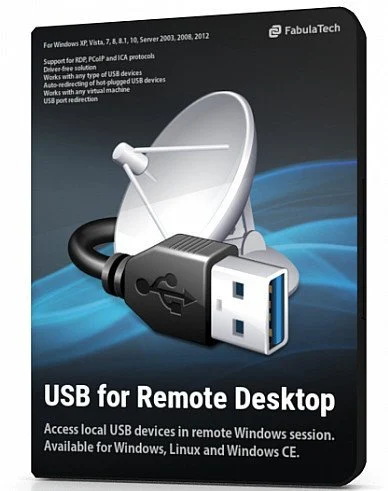
Windows x64 | File size: 43.7 MB
USB for Remote Desktop. Access local USB devices in remote Windows session. When you work in a remote desktop environment, getting access to your locally plugged USB devices can be quite problematic. In some cases you still can use some workarounds like plugging the USB device into the remote machine directly but in the most cases it’s not a solution.
Challenge of USB redirection to Remote Desktop
When you work in a remote desktop environment, getting access to your locally plugged USB devices can be quite problematic. In some cases you still can use some workarounds like plugging the USB device into the remote machine directly but in the most cases it’s not a solution.
FabulaTech solution
USB for Remote Desktop is a software allowing redirection of locally plugged USB devices to you remote desktop session. It appears like the USB device is plugged directly to the remote side.
The program consists of Server and Workstation parts. The Workstation part is installed on the local computer or thin client where USB devices are physically plugged. The Server part is installed on the remote side you are connecting to via Microsoft RDP, Teradici PCoIP or Citrix ICA. The Server part makes redirected USB devices available for remotely logged users.
The program supports a wide range of USB hardware and does not require any special configuration.
Supports Windows and Linux as a remote desktop in different configurations
USB for Remote Desktop supports Windows and Linux remote desktops. It does not matter what protocol is used for accessing the remote side — Microsoft RDP, Teradici PCoIP, Citrix ICA. It does not matter what environment is used — Microsoft Azure, Microsoft Terminal Services, Hyper-V, Citrix XenApp, Citrix XenDesktop, VMware View, Amazon Workspaces and others.
Any compatible Windows and Linux Client software can be used for accessing remote Windows and Linux side. And there is no need to change firewall settings.
Works with any USB devices
The program is not limited to some specific models of USB devices. It is compatible with any of them. So, it is really universal solution for USB device redirection. Even the most exotic USB devices can be redirected to your remote desktop environment.
Auto-redirecting of hot-plugged USB devices
Using the Administrative Utility, USB for Remote Desktop can be configured to redirect any newly plugged USB device immediately and automatically. You don’t have even to divert your attention away from the working process. The program will redirect the USB devices automatically every time you plug them in.
USB port redirection
In some cases it is really convenient to use some dedicated USB port for redirection. In such case any USB device being plugged to that port will be redirected to remote side. All other devices will be for local use only.
Ready for Enterprise
For large installations, it’s possible to configure the program for local and domain users remotely. The configuration can be done via Active Directory allowing to pre-set needed settings or even disable USB redirection for specified users or just for specific types of USB devices.
此处内容需要权限查看
会员免费查看1、VIP会员仅需30元全站资源免费下载!
2、资源默认为百度网盘链接,请用浏览器打开输入提取码不要有多余空格,如无法获取 请联系微信 yunqiaonet 补发。
3、分卷压缩包资源 需全部下载后解压第一个压缩包即可,下载过程不要强制中断 建议用winrar解压或360解压缩软件解压!
4、云桥CG资源站所发布资源仅供用户自学自用,用户需以学习为目的,按需下载,严禁批量采集搬运共享资源等行为,望知悉!!!
5、云桥CG资源站,感谢您的赞赏与支持!平台所收取打赏费用仅作为平台服务器租赁及人员维护资金 费用不为素材本身费用,望理解知悉!平台资源仅供用户学习观摩使用 请下载24小时内自行删除 如需商用请支持原版作者!请知悉并遵守!
6、For international users: If you do not have a Baidu Netdisk VIP account, please contact WeChat: yunqiaonet for assistance with logging into Baidu Netdisk to download resources..











