高效批量文件重命名工具
Better File Rename 6.30 是一款功能全面的文件批量重命名软件,支持添加、删除、替换字符,插入序号及日期,转换大小写等操作。自1999年起,深受专业人士信赖,可独立运行或集成到Windows资源管理器,快速整理文件。
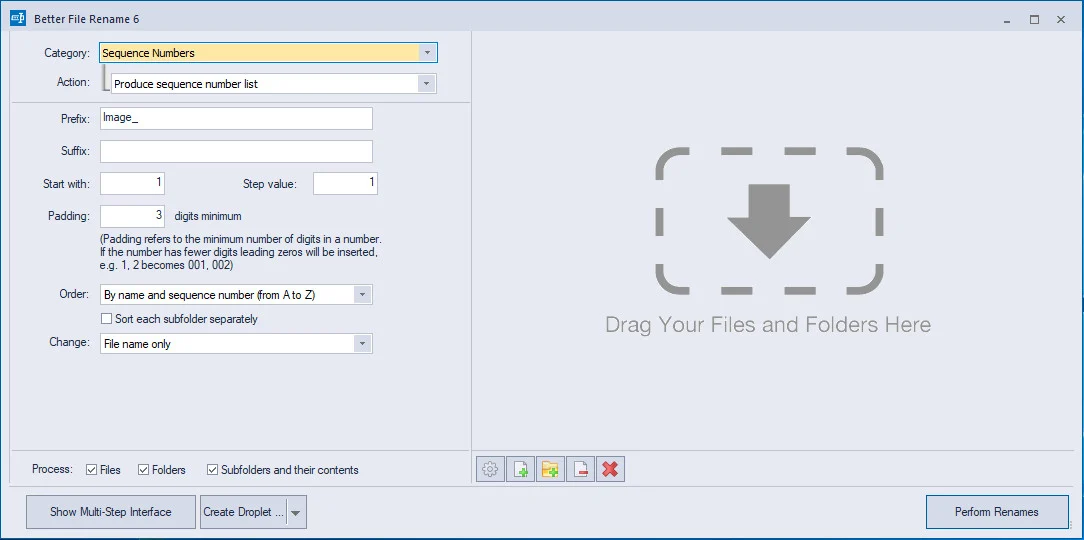
Better File Rename is the most comprehensive file renamer on the market. You get an industrial strength utility that’s fast, flexible, reliable and easy to use. That’s why since 1999, thousands of hobbyists, professionals and businesses depend on Better File Rename to organize and maintain their files.
Comprehensive renaming options
– add, remove, insert and replace characters and text
– add, format, change and insert sequence numbers, create sequence number lists..
– add file date and time to the beginning and the end, rename to date..
– replace file and folder extensions
– make uppercase, lowercase, title case or sentence case
– create space-saving alphabetical sequences
– truncate, remove vowels, reverse, transpose
– and much, much more…
Work the way that suits you best
– You can use Better File Rename as a stand-alone application dragging & dropping files onto its application icon or directly into its preview window.
– Alternatively you can use it straight from the Windows Explorer by right-clicking the files and selecting the “Better File Rename…” menu item.
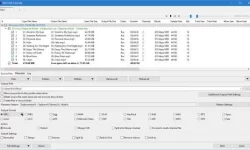
Instant preview eliminates guesswork and errors
– See the results of your renaming options while you are typing or changing the parameters.
– The instant preview makes short work out of finding the right settings and avoids costly mistakes.
Bulk processing options
– Separate processing for file names and file extensions
– Process files, folders and subfolders (“recursively”)
– Choose to confirm each file name or batch process them automatically
Combine multiple rename steps
– You can combine several rename actions into a single multi-step rename. This allows you to perform even the most complex batch renaming jobs in a single pass.
– Better File Rename allows you to create as many rename steps as you require and lets you edit and re-arrange them at will.
Digital Photograpy
– Better File Rename is the preferred renaming tool of many professional and ambitious amateur photographers and has over time grown an impressive array of features dedicated to manipulating sequence numbers (create sequence number lists, add and insert sequence numbers, pad them with 0s, etc..) and adding shooting dates & times to picture names.
– In these operations you can exploit the shooting date & time extracted from the industry-standard EXIF digital camera meta-data stored in your JPEG, CR2 or NEF photos.
Music & Sound Collections
– Music lovers will be delighted by our MP3/AAC renaming feature that allows you to exploit the ID3 meta-data embedded in most music files to create their own naming schemes for their music collection. – Meta-data information from MP3, M4P, MP4, M4A and iTunes music store files are supported.
Pro Workflow Support
Save recurring renaming options to self-contained “droplet” applications. Drag & drop files and folders onto these droplets to apply the stored settings. This allows you to automate the renaming part of your workflow.
Features for power users
For those that need even more advanced features, we provide regular expression substitution support. This advanced string manipulation technique was popularized by UNIX and PERL professionals. Definitely not for the faint of heart, regular expressions are nonetheless an excellent tool for finding, replacing and swapping text fragments.
此处内容需要权限查看
会员免费查看1、VIP会员仅需30元全站资源免费下载!
2、资源默认为百度网盘链接,请用浏览器打开输入提取码不要有多余空格,如无法获取 请联系微信 yunqiaonet 补发。
3、分卷压缩包资源 需全部下载后解压第一个压缩包即可,下载过程不要强制中断 建议用winrar解压或360解压缩软件解压!
4、云桥CG资源站所发布资源仅供用户自学自用,用户需以学习为目的,按需下载,严禁批量采集搬运共享资源等行为,望知悉!!!
5、云桥CG资源站,感谢您的赞赏与支持!平台所收取打赏费用仅作为平台服务器租赁及人员维护资金 费用不为素材本身费用,望理解知悉!平台资源仅供用户学习观摩使用 请下载24小时内自行删除 如需商用请支持原版作者!请知悉并遵守!
6、For international users: If you do not have a Baidu Netdisk VIP account, please contact WeChat: yunqiaonet for assistance with logging into Baidu Netdisk to download resources..