Hand Mirror是一款macOS菜单栏辅助工具,让您一键快速查看摄像头画面,完美检查构图和仪容。支持弹出窗口、智能悬浮窗、圆形蒙版及自定义图标,是视频会议、直播前的理想工具。下载仅28.2 MB。
原始标题:Hand Mirror 4.0.4 MacOS
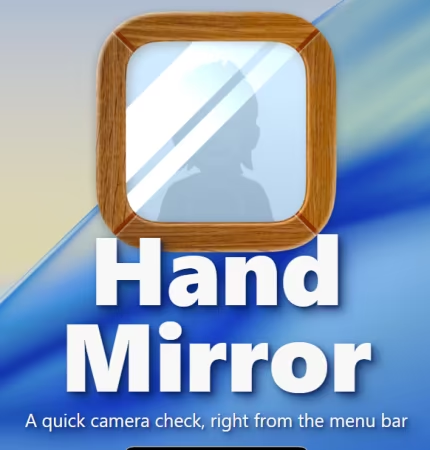
Hand Mirror 是一款专为 macOS 设计的极简辅助工具,主要驻留在系统菜单栏中。它能让用户在视频会议、直播或录制内容前,只需点击一下即可快速查看摄像头画面,是保持完美仪容的理想工具。
File Size: 28.2 MB
Hand Mirror puts a one-click camera preview in your Mac’s menu bar, so you can check framing and surroundings before meetings, streams, or recordings. Open as a popover or an always-on-top, resizable Smart Window, choose masks (like a circle), and set a default on-screen position with customizable icons and notch.
What is this?
It’s a macOS app that lives in your menu bar, and when you click on it you get a view from your camera.
Yeah but why?
You know when you have to join a Zoom call but want to check your face first, or make sure nothing too embarrassing is in frame? So you open Photo Booth or something? But that’s like 5 keyboard-presses at best? Maybe a quick thing might save you half a second or something?
Why not just open Photo Booth instead?
Opening Photo Booth was exactly what I was doing, but I would use Spotlight, and sometimes it would open Photos instead, or I would open Photo Booth so much that if I just typed “Phot” in Spotlight it would default to Photo Booth and not Photos, and that’s nice but not what I want — if I type “Phot” and hit return, I would expect to open “Photos” and not “Photo Booth”. So that was getting annoying and I decided to build this instead.
Does this app do anything else?
Yeah, I’ve received a lot of improvements and feature requests in the first two years of the app being out in the world, so I’ve decided to bundle them all in what I’m calling Hand Mirror Plus!
What’s in Hand Mirror Plus today?
Snaps: Save the moment with a cute Polaroid-style picture, complete with a marker for drawing over it.
Mic Check: Make sure your microphone is properly connected and the audio levels look ok
Reactions: Perfect playground to have fun with macOS Sonoma’s Reactions, with custom triggers right in the camera window.
Smart Window: Get more flexibility than the simple Popover with a fully resizable, draggable, and always-on-top window.
Window Masks: Customizable size and shape of your window, for example if you want your camera to appear as a circle.
Custom Default Position: Pick where on your screen you want your camera to appear, useful when you want to center it with your actual physical camera.
Custom Icons: There’s a wide selection of different app and menu bar icons, even some that could… perhaps… resemble a web cam you might have? I don’t know.
System Requirements
• macOS 14.4 or later
• Apple Silicon or Intel Core processor
此处内容需要权限查看
会员免费查看1、VIP会员仅需30元全站资源免费下载!
2、资源默认为百度网盘链接,请用浏览器打开输入提取码不要有多余空格,如无法获取 请联系微信 yunqiaonet 补发。
3、分卷压缩包资源 需全部下载后解压第一个压缩包即可,下载过程不要强制中断 建议用winrar解压或360解压缩软件解压!
4、云桥CG资源站所发布资源仅供用户自学自用,用户需以学习为目的,按需下载,严禁批量采集搬运共享资源等行为,望知悉!!!
5、云桥CG资源站,感谢您的赞赏与支持!平台所收取打赏费用仅作为平台服务器租赁及人员维护资金 费用不为素材本身费用,望理解知悉!平台资源仅供用户学习观摩使用 请下载24小时内自行删除 如需商用请支持原版作者!请知悉并遵守!
6、For international users: If you do not have a Baidu Netdisk VIP account, please contact WeChat: yunqiaonet for assistance with logging into Baidu Netdisk to download resources..