

Gilisoft Movie DVD Copy提供强大的DVD备份、复制与烧录功能,支持去除保护与区域码,可输出至光盘、文件夹或ISO文件,速度快、质量高,是专业级的光碟备份解决方案。
原始标题:Gilisoft Movie DVD Copy 3.7.0
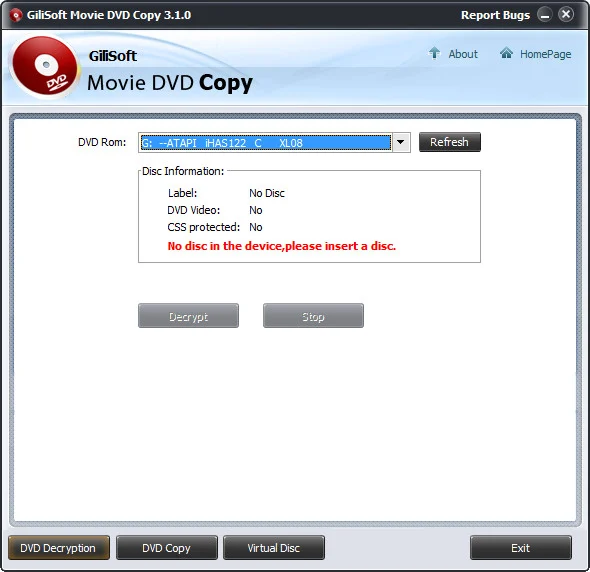
Gilisoft Movie DVD Copy 主要功能可以协助我们备份 DVD 影音光碟,让我们可以将 DVD 影音光碟上的档案,备份到我们的电脑上。同时也可以让我们另外制作一片 DVD 的备份,也就是烧录功能。除此之外,它还内建虚拟光碟机功能,可以让我们挂载 ISO 的档案,也可以用来制作 ISO 档案。
GiliSoft Movie DVD Copy adopts kernal driver to remove the copy protection of a DVD movie, can also remove the RPC region code, thereby making the movie region free and viewable on any DVD player and with any DVD player software. GiliSoft Movie DVD Copy allows you to copy and burn DVD to a blank DVD disc or write the output content to a folder or copy DVD to ISO file onto your hard drive and media server, and compress content to fit on smaller discs. The choice is yours! In addition, the copy speed is very fast, and the quality is excellent.
GiliSoft Movie DVD Copy supports audio CD, data CD, bootable CD, data DVD, bootable DVD, DVD movie, and D9 DVD. You are not only able to copy your CD/DVD collection to blank discs, but also copy CD or DVDs to ISO/BIN files, copy ISO/BIN files to CD or DVDs.
Decrypt DVD “on the fly”
DVD Decryption can work in the background to automatically and transparently enable read access of the contents of a movie DVD as soon as it’s inserted into the drive. DVD Decryption can disable the RPC region codes, thereby making the movie region free and comfortably viewable on any DVD player and with any DVD player software.
Copy DVD to hard drive
With this powerful DVD Copy software, you can copy DVD to hard drive as ISO image file for DVD backup. So if you don’t have blank disc at hand for burning, doesn’t matter, just save your DVD movie on your hard drive for later burning. Or you just want to watch the DVD movie on your computer without swapping discs, it’s OK, just copy it to your computer then play.
Copy to any blank DVD disc
Burn DVD or ISO file / DVD folder on your computer to any blank DVD disc, including DVD+R/RW, DVD-R/RW, DVD+R DL and DVD-R DL. copy DVD-9 to DVD-9, copy DVD-5 to DVD-5 in 1:1 ratio without any loss
Enjoy DVD with Virtual Drive
Virtual Drive works and behaves just like a physical CD/DVD drive. Computer user can mounts the content of a movie DVD from the disk image straight forward from a hard drive, instead of placing a physical CDROM or DVD.
Very Easy to Copy DVD
With its friendly interface and intuitive controls, even new users can make a DVD backup with Gilisoft DVD Copy without problems. The expert user will enjoy the way complex functions can be accomplished in just a few clicks.
Make Multiple Copies
Maybe you have one movie DVD and want to make 10 copies for the family. Gilisoft Movie DVD Copy can help you make multiple copies of the same DVD.
Powerfull CD DVD Copy Software
It supports audio CD, data CD, bootable CD, data DVD, bootable DVD, DVD movie, and D9 DVD.
Highly Compatible
It supports CD-R/RW, DVD-R/RW (DL), DVD+R/RW (DL) and SCSI, IDE, USB CD or DVD burners or recorders on the marketing.
官方网站:http://www.gilisoft.com/product-dvd-decryption.htm
此处内容需要权限查看
会员免费查看1、VIP会员仅需30元全站资源免费下载!
2、资源默认为百度网盘链接,请用浏览器打开输入提取码不要有多余空格,如无法获取 请联系微信 yunqiaonet 补发。
3、分卷压缩包资源 需全部下载后解压第一个压缩包即可,下载过程不要强制中断 建议用winrar解压或360解压缩软件解压!
4、云桥CG资源站所发布资源仅供用户自学自用,用户需以学习为目的,按需下载,严禁批量采集搬运共享资源等行为,望知悉!!!
5、云桥CG资源站,感谢您的赞赏与支持!平台所收取打赏费用仅作为平台服务器租赁及人员维护资金 费用不为素材本身费用,望理解知悉!平台资源仅供用户学习观摩使用 请下载24小时内自行删除 如需商用请支持原版作者!请知悉并遵守!
6、For international users: If you do not have a Baidu Netdisk VIP account, please contact WeChat: yunqiaonet for assistance with logging into Baidu Netdisk to download resources..











